
How do I set my available hours on a calendar?
Published on: 03/11/2026
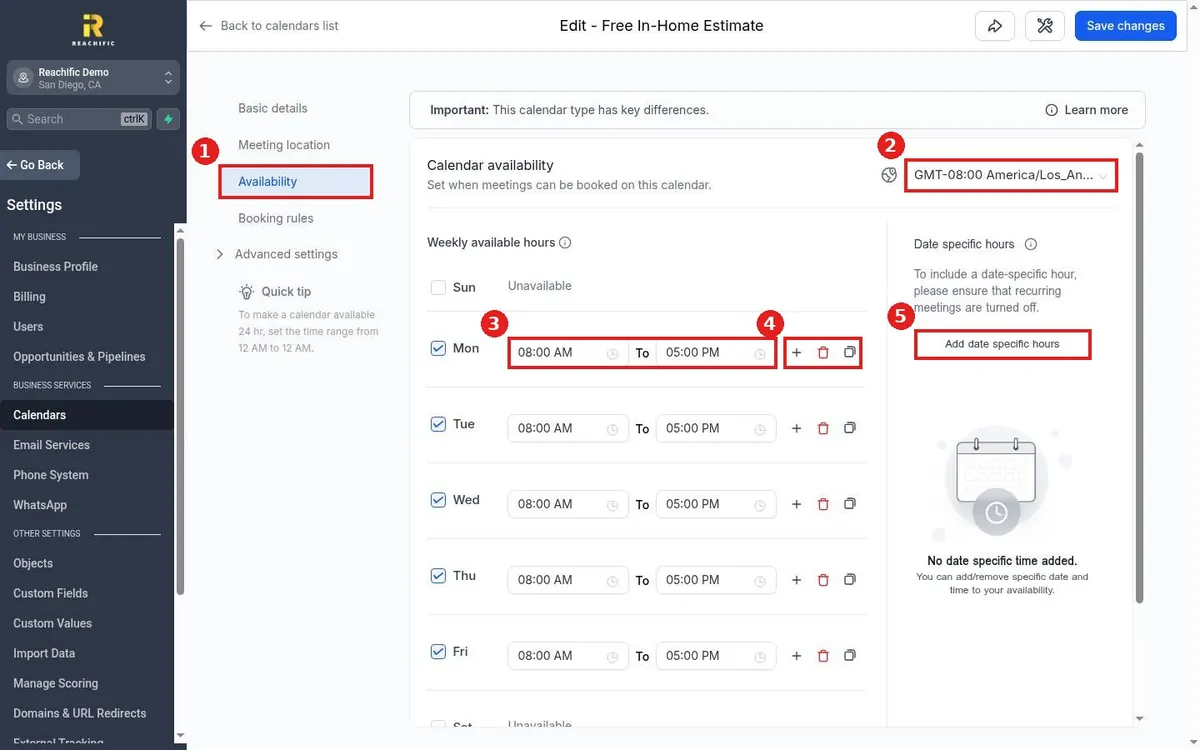
Set calendar hours in Reachific: go to Settings, Calendars, click the pencil on a calendar, open Availability, check the days you take bookings, set start and end times, confirm the time zone and click Save changes.
calendar availabilityoffice hoursbooking slotshelp center